Security Free · no signup

Clickjacking Checker

Check for clickjacking vulnerabilities. Analyze X-Frame-Options and CSP frame-ancestors headers.

Enter a URL and the checker fetches its HTTP response headers, then evaluates the two mechanisms that control iframe embedding: X-Frame-Options (DENY / SAMEORIGIN) and the CSP frame-ancestors directive. It tells you whether the page is fully protected, partially protected, or wide open to being framed by a malicious site — the precondition for a clickjacking attack. You get a clear protection verdict without opening dev tools or crafting a test iframe yourself.

Updated Krawly Editorial TeamIn-house engineers, writers & reviewers
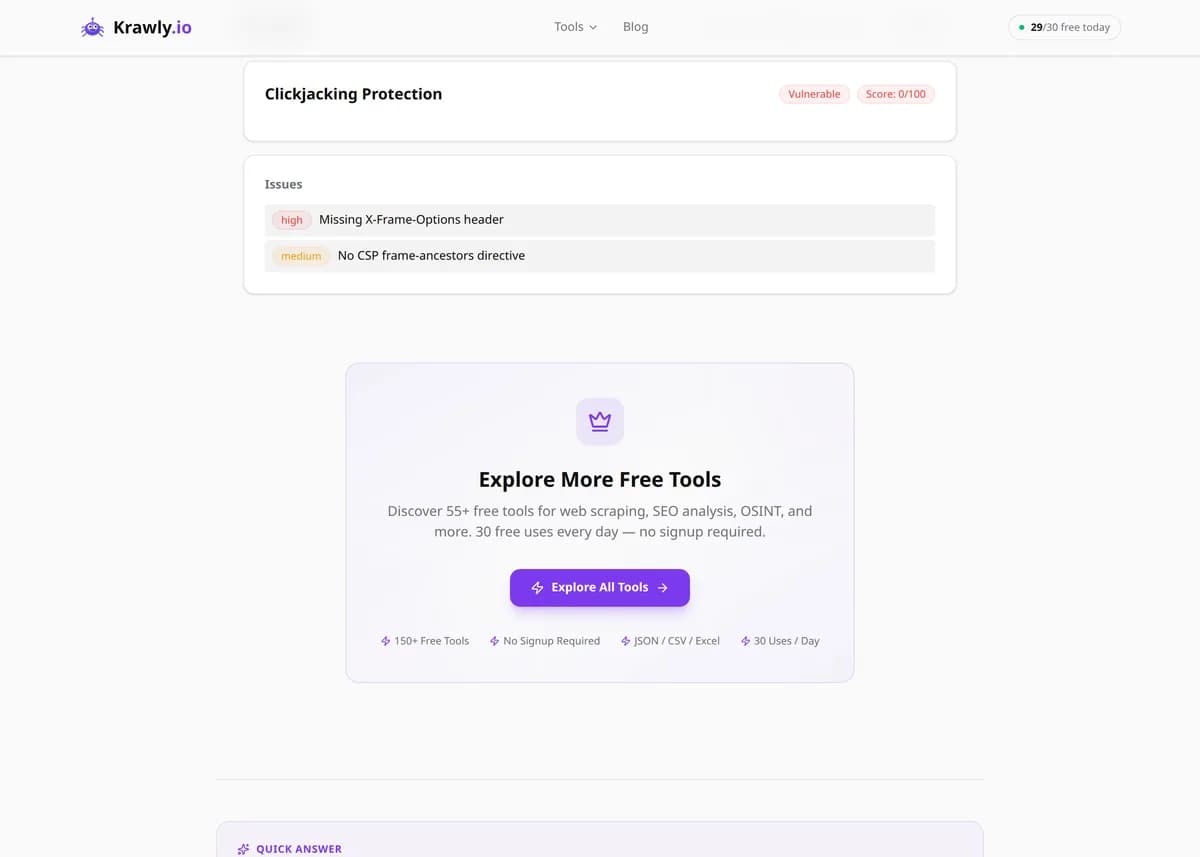
Explore More Free Tools

Discover 150+ free tools for web scraping, SEO analysis, OSINT, and more. 30 free uses every day — no signup required.

150+ Free Tools No Signup Required JSON / CSV / Excel 30 Uses / Day
Quick answer

Enter a URL and the checker fetches its HTTP response headers, then evaluates the two mechanisms that control iframe embedding: X-Frame-Options (DENY / SAMEORIGIN) and the CSP frame-ancestors directive. It tells you whether the page is fully protected, partially protected, or wide open to being framed by a malicious site — the precondition for a clickjacking attack. You get a clear protection verdict without opening dev tools or crafting a test iframe yourself.

What is Clickjacking Checker?

The Clickjacking Checker tests whether a webpage can be secretly embedded inside an attacker's iframe — the setup behind clickjacking (UI redressing) attacks. It inspects the two response headers that browsers use to permit or deny framing: the legacy X-Frame-Options header and the modern Content-Security-Policy frame-ancestors directive. If neither is present, the page can be framed by anyone, and users can be tricked into clicking hidden buttons on your real site. The tool reports which protections exist and scores how well the page is defended.

How to use Clickjacking Checker

  1. 1

    Enter the page URL

    Paste the specific page you want to test — ideally a sensitive one like a login, checkout, or account-settings page, since those are the pages an attacker most wants to frame and trick users into interacting with.

  2. 2

    Read the header verdict

    The tool fetches the page's HTTP response headers and reports whether X-Frame-Options and CSP frame-ancestors are present and what values they carry. Absent on both means the page can be framed by any site.

  3. 3

    Interpret the protection score

    A protected page has X-Frame-Options set to DENY or SAMEORIGIN, or a frame-ancestors directive that excludes untrusted origins. A missing or misconfigured value (like ALLOW-FROM, which modern browsers ignore) drops the score and flags the exposure.

  4. 4

    Fix and re-test

    If the page is unprotected, add the appropriate header at your server, framework, or CDN layer, then re-run the check to confirm the header now appears on the live response.

Try it when you need to…

  • Try it when you're locking down a login or payment page and need to confirm it can't be embedded in a hostile iframe
  • Try it after a CDN, WAF, or framework upgrade to verify your anti-framing headers survived the change
  • Try it when assessing a target in an authorized pen test or bug bounty and you need a fast read on whether frame protection is missing

Use cases

  • Security hardening — confirm your login, payment, and account pages refuse to be framed before an attacker tests it for you
  • Compliance and pen-test prep — produce quick evidence that anti-framing headers are in place for a security review
  • Regression checks — verify a deploy or CDN config change didn't silently drop your X-Frame-Options or CSP header
  • Vendor assessment — check whether a third-party embed or SaaS page you rely on protects itself against framing
  • Bug-bounty triage — quickly confirm whether a target page is missing frame protection before writing up a report

Key features

Checks the X-Frame-Options header for DENY or SAMEORIGIN
Checks the Content-Security-Policy frame-ancestors directive — the modern replacement
Protection scoring that reflects whether defenses are full, partial, or absent
Header analysis that surfaces exactly what the server returned
Fast, non-intrusive test — reads public response headers only, changes nothing

Tips & best practices

X-Frame-Options is the legacy control and CSP frame-ancestors is its modern successor. Where both are present and disagree, browsers give precedence to frame-ancestors — so a strict CSP can legitimately override a permissive X-Frame-Options, and vice versa. Set them consistently to avoid confusion.

X-Frame-Options only understands DENY and SAMEORIGIN. The old ALLOW-FROM uri value was dropped by modern browsers and is effectively ignored, so a page relying on it is unprotected in current Chrome, Firefox, and Safari. To allow specific external origins to frame you, you must use CSP frame-ancestors, which is the only mechanism that supports an allowlist.

frame-ancestors is not covered by CSP's default-src fallback. If your Content-Security-Policy omits frame-ancestors, the page is framable regardless of how strict the rest of your CSP is — you have to declare frame-ancestors explicitly (e.g. frame-ancestors 'self' or 'none').

Anti-framing headers must be sent on the response for every sensitive page, not just the homepage. A common mistake is setting the header globally but having a CDN, error page, or specific route strip or bypass it — always test the actual sensitive URLs, not just the root domain.

Frequently asked questions

Clickjacking, or UI redressing, tricks a user into clicking something different from what they perceive. An attacker loads your real page in a transparent or disguised iframe on top of decoy content, so when the victim clicks what looks like a harmless button, they're actually clicking a real action on your site — confirming a payment, changing a setting, or granting a permission.

X-Frame-Options is the older header, supporting only DENY (no framing at all) and SAMEORIGIN (framing only by the same site). CSP frame-ancestors is the modern, more flexible replacement: it accepts an allowlist of specific origins, understands 'none' and 'self', and is the only way to permit framing by named external domains. When both are set, browsers honor frame-ancestors.

Use DENY (or frame-ancestors 'none') for pages that should never be embedded anywhere, including by your own site — login and payment pages are good candidates. Use SAMEORIGIN (or frame-ancestors 'self') when your own application legitimately needs to embed the page in an iframe but no external site should be able to.

The X-Frame-Options ALLOW-FROM uri directive was only ever supported inconsistently and has been removed from modern browsers, which now ignore it entirely. A page that relies on ALLOW-FROM is effectively unprotected today. If you need to allow specific external origins to frame you, use the CSP frame-ancestors directive with those origins listed instead.

It means the page can be framed, which is the necessary precondition for a clickjacking attack — but exploitability also depends on whether the page has state-changing actions a framed click could trigger and whether other defenses exist. A static, action-free page that's framable is low-risk; a login or transfer page that's framable is a serious finding.

Send the header on the page's HTTP response from wherever you control it: your web server config (nginx add_header, Apache Header set), your application framework's middleware, or your CDN's header rules. For most sites, add both X-Frame-Options: SAMEORIGIN for legacy browsers and Content-Security-Policy: frame-ancestors 'self' for modern ones, then re-test the live page.