Utilities Free · no signup

Email Validator

Validate email addresses — check format, MX records, disposable/free provider detection, and deliverability score.

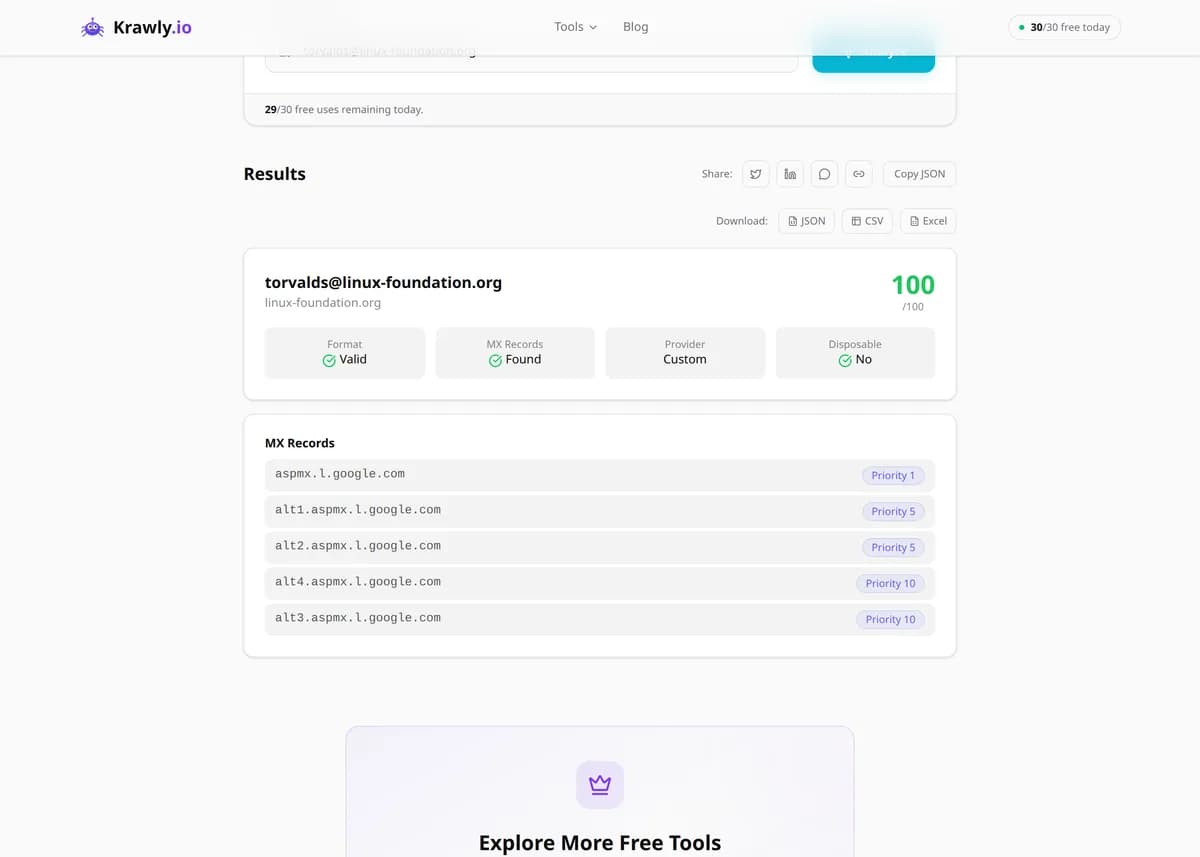
Enter an email address and the Email Validator checks it in layers — RFC 5322 syntax, whether the domain exists and publishes MX records that can receive mail, and whether it's a disposable or free-provider address — then returns a 0-100 deliverability score with the reasoning. It filters out typos, dead domains, and throwaway signups before they hit your list, all without ever sending a message to the address. Ideal for cleaning lists, guarding signup forms, and cutting bounce rates.

Updated Krawly Editorial TeamIn-house engineers, writers & reviewers

Example output

Pre-computed real result from running Email Validator against support@stripe.com

Three checks on any email address — RFC 5322 syntax, MX-record presence on the domain, and disposable / free-provider classification.

Syntax valid
Yes
Domain MX
Google Workspace (5 servers)
Disposable
No
Free provider
No (corporate domain)
Role account
Yes (support@)
Deliverability score
95 / 100

What this tells you: Role accounts (support@, info@, contact@) are valid for outreach but generally have lower open rates than personal addresses. Krawly's [Email Footprint](/tool/email-footprint) helps separate the two.

↓ Run the tool below with your own input
Explore More Free Tools

Discover 150+ free tools for web scraping, SEO analysis, OSINT, and more. 30 free uses every day — no signup required.

150+ Free Tools No Signup Required JSON / CSV / Excel 30 Uses / Day
Quick answer

Enter an email address and the Email Validator checks it in layers — RFC 5322 syntax, whether the domain exists and publishes MX records that can receive mail, and whether it's a disposable or free-provider address — then returns a 0-100 deliverability score with the reasoning. It filters out typos, dead domains, and throwaway signups before they hit your list, all without ever sending a message to the address. Ideal for cleaning lists, guarding signup forms, and cutting bounce rates.

What is Email Validator?

The Email Validator assesses the quality and deliverability of an email address through several non-intrusive checks. It validates the syntax against RFC 5322, performs a DNS lookup to confirm the domain exists and has MX records capable of receiving mail, detects disposable/temporary providers (Mailinator, Guerrilla Mail, and similar), and identifies free consumer providers (Gmail, Yahoo, Outlook). It combines these signals into a 0-100 deliverability score with a breakdown of why. Because it works entirely at the DNS and format level — never sending a test message — it's safe to run on large lists for cleaning, on signup forms for real-time validation, and on leads for qualification, all to cut hard bounces that damage sender reputation.

How to use Email Validator

  1. 1

    Enter the email address

    Paste the address you want to check. The tool runs its checks in order — cheapest first (syntax), then DNS/MX, then provider classification — so you see exactly which layer an address fails at.

  2. 2

    Check syntax and domain

    First it confirms the address is well-formed and that its domain exists and can receive mail. A valid-looking address on a domain with no MX record will bounce every time — this catches it before you send.

  3. 3

    Review the provider classification

    See whether the address is disposable (a throwaway used to dodge signup) or a free consumer provider. Disposable addresses are the ones to reject on signup; free providers are fine but signal a personal rather than business contact.

  4. 4

    Read the deliverability score

    The 0-100 score summarizes all signals. Use it to sort a list — keep high scores, manually review the middle, and drop or re-confirm the low ones before your next campaign.

Try it when you need to…

  • Try it before a big email campaign to strip out addresses that would hard-bounce and hurt your sender reputation
  • Try it on your signup form's backend to block Mailinator-style throwaway addresses from abusing free trials
  • Try it when a lead's email looks off (typo'd domain, unusual TLD) and you want to confirm it can actually receive mail

Use cases

  • List cleaning — remove invalid and dead addresses before a campaign to protect sender reputation
  • Signup form validation — reject disposable and malformed emails in real time at registration
  • Lead qualification — confirm a lead's email is real and deliverable before outreach
  • Fraud prevention — flag throwaway addresses used to abuse free trials or promotions
  • CRM hygiene — periodically re-validate an existing database to purge decayed addresses

Key features

RFC 5322 syntax validation
DNS MX record lookup to confirm the domain can receive mail
Disposable/temporary provider detection
Free consumer provider identification (Gmail, Yahoo, Outlook, etc.)
0-100 deliverability score with a per-check breakdown

Tips & best practices

This tool does DNS-level validation, which is safe and instant, but it can't confirm a specific mailbox exists — only that the domain can receive mail. The definitive test is SMTP mailbox verification, which many servers block or fake, so no free tool can guarantee an individual inbox is live.

A valid MX record proves the domain accepts mail; it does not prove the exact user@ part exists. An address can pass every check here and still bounce if that specific mailbox was never created or has since been deleted.

Never send to a purchased or scraped list without validating it first. A single campaign with a high bounce rate can get your sending domain flagged by spam filters and tank deliverability for your legitimate mail for weeks.

Catch-all domains accept mail to any address at the domain, so they'll appear valid even for made-up local parts. Treat 'valid' results on known catch-all domains with extra caution — they inflate deliverability scores.

Frequently asked questions

No. It performs DNS-level checks only — syntax validation, MX record lookup, and disposable/free-provider detection. It never sends a test message, so it's safe to run on large lists without triggering spam traps or annoying real recipients.

The score reflects syntax validity, domain/MX health, and provider type, which together are a strong predictor of deliverability. But it can't guarantee delivery: catch-all domains, mailbox-level rules, and full inboxes are invisible to DNS-level checks. Treat it as a confidence indicator, not a promise.

A disposable (or temporary) email is a throwaway address from services like Mailinator, Guerrilla Mail, or 10MinuteMail that self-destructs after a short time. People use them to bypass signup gates and grab free trials. Detecting and rejecting them reduces fake accounts and abuse.

Passing validation confirms the format is correct and the domain can receive mail — but not that the specific mailbox exists or is accepting new mail. The address may have been deleted, the inbox may be full, or the receiving server may block your IP. DNS checks can't see any of these.

Free providers (Gmail, Yahoo, Outlook) are legitimate, permanent consumer inboxes — perfectly deliverable, just personal rather than corporate. Disposable providers are temporary throwaways designed to expire. The tool distinguishes them so you can keep free addresses but reject disposable ones.

No. Free-provider addresses (Gmail, etc.) are valid and widely used — many customers only have a personal email. The free-provider flag is context: useful for B2B lead scoring where you prefer business domains, but not a reason to delete an otherwise deliverable address.