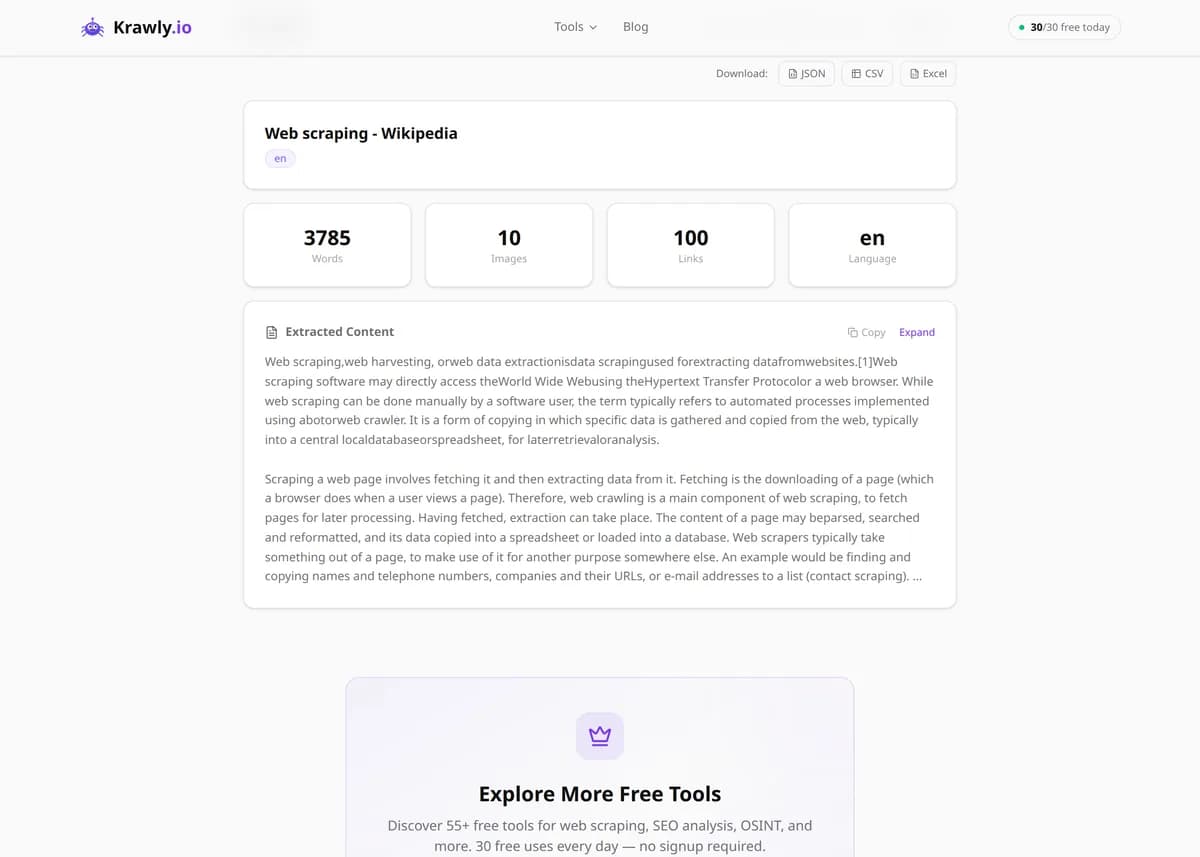
Extract clean article text, metadata, and images from any webpage.
Paste a URL and this web content extractor isolates the main article — headline, byline, publish date, body text, and images — while discarding menus, ads, sidebars, and boilerplate. It uses Readability-style density scoring to decide which part of the page is the real content, the same approach that powers browser reader modes and read-later apps. The result is distraction-free text you can archive, summarise, feed to an AI model, or repurpose into a newsletter, with the key metadata already parsed out for you.
63 Free Tools No Signup Required JSON / CSV / Excel 30 Uses / Day
Quick answer
Paste a URL and this web content extractor isolates the main article — headline, byline, publish date, body text, and images — while discarding menus, ads, sidebars, and boilerplate. It uses Readability-style density scoring to decide which part of the page is the real content, the same approach that powers browser reader modes and read-later apps. The result is distraction-free text you can archive, summarise, feed to an AI model, or repurpose into a newsletter, with the key metadata already parsed out for you.
What is Content Extractor?
The Content Extractor is a main content extractor: it pulls the main article body out of a cluttered webpage and hands you clean, readable text with nothing but the words that matter. Using readability-style algorithms that score each block of HTML by text density and structure, it strips away navigation menus, ad slots, cookie banners, related-post widgets, and sidebars, then returns the core content along with metadata like the title, author, publish date, and lead image. It's the same principle behind browser 'reader mode' — but available for any URL, in bulk, and with the extracted text and metadata delivered in a structured form you can save or process.
How to use Content Extractor
1
Enter the article URL
Paste the link to the news story, blog post, or documentation page you want to clean up. The tool fetches the live HTML and analyses the whole page.
2
Let it find the main content
The extractor scores every block of the page by text density and structure, identifies the largest coherent body of prose, and discards headers, footers, ads, and widgets around it.
3
Review the clean output
You get the article title, author, date, main image, and the body text as clean readable content — no menus, no cookie banners, no 'you may also like' boxes.
4
Copy, export, or batch more
Copy the text into your notes or newsletter, or switch to Multiple URLs mode to extract a whole list of articles at once for research or dataset building.
Try it when you need to…
Try it when you want to read or archive an article without the ads, popups, and sidebars getting in the way
Try it when you're building a research corpus and need clean article text instead of raw, noisy HTML
Try it when you're prepping content for an LLM and want to strip boilerplate so the model focuses on the actual writing
Use cases
Content curation — grab clean article text for newsletters and roundups without the surrounding clutter
Research and analysis — collect readable article bodies to summarise, tag, or run through NLP
AI and LLM pipelines — feed clean text (not raw HTML) into models to cut token waste and noise
Accessibility — produce simplified, text-only versions of pages for easier reading
Archiving — save a clean, permanent copy of an article before it changes or disappears
Key features
✓Readability-style extraction that removes ads, navigation, sidebars, and boilerplate
✓Metadata parsing — title, author, publish date, and lead image pulled out automatically
✓Multi-URL support for extracting a batch of articles in one run
✓Clean plain-text output with the HTML noise stripped away
✓Tuned for news sites, blogs, documentation, and long-form article pages
Tips & best practices
Extraction works best on article-shaped pages with one clear body of text. Homepages, category listings, and search-result pages have no single 'main article', so the algorithm has little to lock onto and results will be thin.
If the output is missing the last few paragraphs, the page likely lazy-loads or paginates the body via JavaScript — the tool reads the initial HTML, so infinite-scroll articles may only yield the first segment.
The extracted publish date and author come from the page's metadata (meta tags, JSON-LD). If those are missing or wrong on the source page, they'll be blank or off here too — verify against the visible byline when accuracy matters.
For feeding content into an AI model, extract first and pass the clean text rather than the raw page — you'll spend far fewer tokens and get better answers because the model isn't distracted by navigation and ad markup.
Frequently asked questions
It uses algorithms in the spirit of Mozilla's Readability: every block of HTML is scored on text density, link-to-text ratio, tag type, and position, and the highest-scoring cluster of prose is treated as the article. Navigation, footers, and ad units score low on text density and get discarded.
No. It can only extract content that is publicly served in the page HTML. If the full text sits behind a paywall or login, only the free preview portion is present in the source, so that's all the tool can return. No paywall bypass is attempted.
Yes. It identifies the lead/hero image from the page metadata and surfaces images that appear within the main content area, while ignoring logos, icons, and ad creatives outside the article body.
Some sites split long pieces across multiple pages or lazy-load later paragraphs with JavaScript as you scroll. Because the extractor reads the initial HTML response, content injected after load isn't captured. Extract each paginated URL separately to get the full piece.
Yes — use Multiple URLs mode and paste one link per line. Each URL is processed independently and returned with its own title, metadata, and clean body, which is handy for building research datasets or content roundups.
Copy-pasting a page drags in menu labels, 'related articles', comment prompts, and ad copy, all mixed with the real content. The Content Extractor separates the article from that boilerplate and also parses structured metadata (author, date) that plain copying loses entirely.
Yes — that's its core job. Point it at a news story, blog post, or documentation page and it returns the headline, author, publish date, and body text with menus, ads, and sidebars removed. Content extraction works best on pages with one clear body of prose; homepages and category listings have no single article to lock onto, so results there will be thin.
No. It's a website content extractor that works page by page: each URL you give it is fetched and its main article is isolated. It doesn't crawl links, mirror a site, or download assets the way a general web extractor or site downloader would. To cover several pages, paste their URLs in Multiple URLs mode, one per line.