Web Scraping Free · no signup

Lead Generation

Find emails, phone numbers, and social media links from any website.

Paste a URL and the Lead Generation tool scans the visible HTML for email addresses, phone numbers, and social media profile links — then returns them in a structured list ready to import into your CRM, Google Sheet, or cold-email platform. Works on company About pages, Contact pages, team directories, and press pages. Only surfaces publicly-available contact data.

Updated Enis GetmezFounder & Lead Engineer

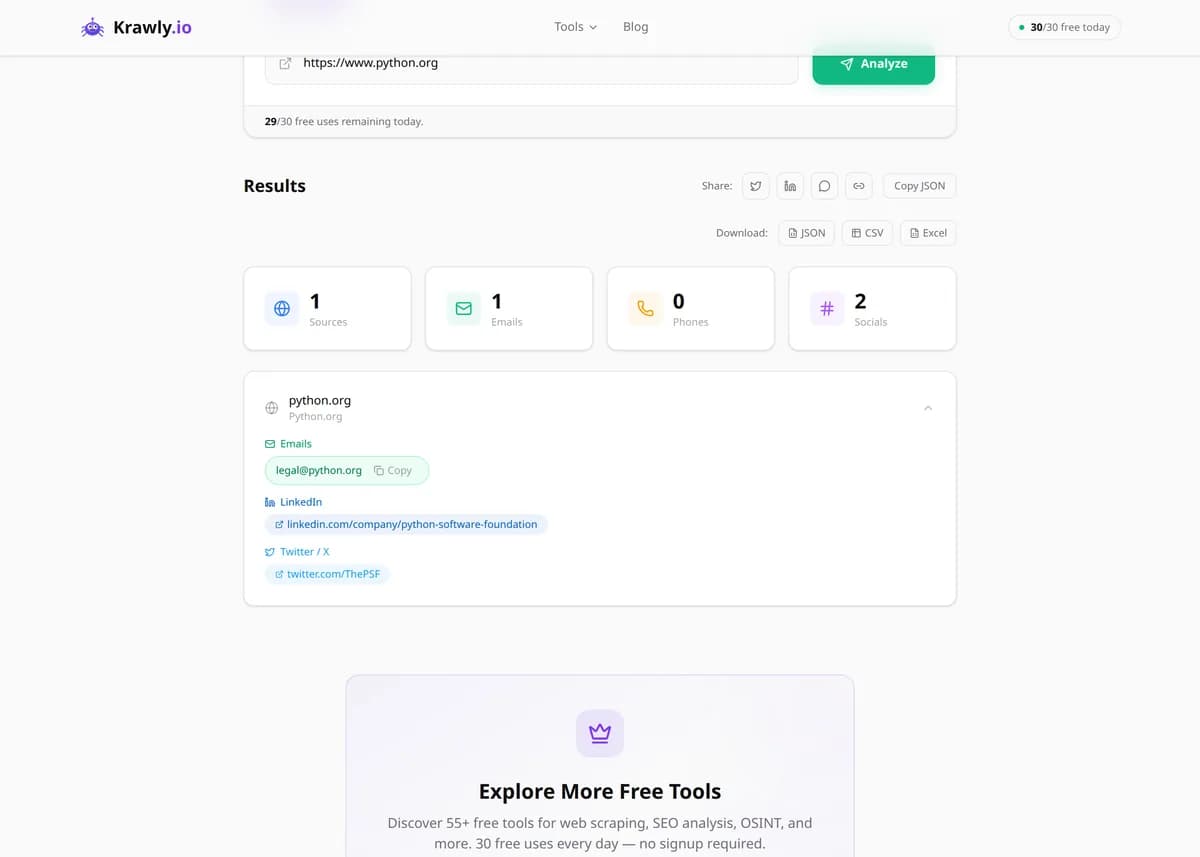
Example output

Pre-computed real result from running Lead Generation against https://stripe.com

Scans a public website for visible contact information — email addresses, phone numbers, and social media profile links from the homepage, /about, /contact, /team, and footer.

Emails found
5 (sales, privacy, dpo, press, support)
Phone numbers
2 (US toll-free + intl)
LinkedIn
stripe (company)
Twitter / X
@stripe
GitHub
stripe (org)
Pages scanned
5

What this tells you: All addresses returned were publicly published by Stripe themselves — the tool never guesses or pattern-generates email addresses.

↓ Run the tool below with your own input
Explore More Free Tools

Discover 160+ free tools for web scraping, SEO analysis, OSINT, and more. 30 free uses every day — no signup required.

160+ Free Tools No Signup Required JSON / CSV / Excel 30 Uses / Day
Quick answer

Paste a URL and the Lead Generation tool scans the visible HTML for email addresses, phone numbers, and social media profile links — then returns them in a structured list ready to import into your CRM, Google Sheet, or cold-email platform. Works on company About pages, Contact pages, team directories, and press pages. Only surfaces publicly-available contact data.

What is Lead Generation?

The Lead Generation Tool automatically scans any website to find contact information including email addresses, phone numbers, social media profiles (LinkedIn, Twitter/X, Facebook, Instagram, GitHub, etc.), and other contact details. It's designed for sales teams, recruiters, marketers, PR professionals, and partnership builders who need to build prospect lists quickly. The tool parses visible HTML and common obfuscation patterns (mailto: links, contact@, plain-text emails, tel: links) and returns clean, deduplicated results.

How to use Lead Generation

  1. 1

    Pick a prospect website

    Identify the company or individual you want to reach. The best pages to scan are /contact, /about, /team, /people, and footer pages — where contact info is usually published.

  2. 2

    Paste the URL

    Drop the URL into the input field. Switch to Multiple URLs mode to scan up to 10 prospect pages in a single run (great for a shortlist).

  3. 3

    Review extracted contacts

    The tool returns emails, phone numbers, and social profiles found on the page. Each email is format-validated so obviously fake ones (noreply@, example@) are flagged.

  4. 4

    Export to CSV for your CRM

    One click to download a CSV you can import into HubSpot, Salesforce, Pipedrive, or a Google Sheet. Add your own metadata columns before outreach (company, role, relevance score).

Try it when you need to…

  • Build a 50-company outbound list in an hour instead of a week
  • Find the recruiter or HR email for a company you want to apply to
  • Pull journalist contact info from a publication's masthead for a PR pitch
  • Gather team emails for partnership outreach without buying a Clearbit subscription
  • Verify a decision-maker's email before launching a cold campaign

Use cases

  • B2B sales prospecting — find decision-maker contact info
  • Recruiter outreach — gather HR department contacts
  • Competitor research — discover team and company contacts
  • PR & media outreach — find journalist emails
  • Partnership development — identify business contacts

Key features

Finds email addresses on any webpage
Extracts phone numbers with international format support
Discovers social media profile links (LinkedIn, Twitter, Facebook, etc.)
Multi-URL support — scan multiple websites at once
Structured output for easy CRM import

Tips & best practices

Always comply with CAN-SPAM (US) and GDPR (EU) when emailing — include a valid from address, honour unsubscribes, and don't misrepresent your identity.

Personalise every cold email. Scraped contact info is free, but reply rates on "Dear Sir/Madam" blasts are below 1%. Mention something specific from the page you found them on.

Skip generic inboxes (info@, support@, contact@) when possible — go direct to the decision-maker. Patterns like firstname.lastname@ or firstname@ work on most B2B domains.

If a prospect has no public email, don't resort to guessing and spraying — use a paid email finder (Hunter.io, Apollo) that verifies deliverability first.

Frequently asked questions

Scraping publicly available contact information is generally legal in the US and most of Europe — emails that are posted on a public webpage are considered published data. However, you must comply with CAN-SPAM (US), GDPR (EU), and similar anti-spam laws when actually sending messages: honour unsubscribes, don't misrepresent yourself, and don't spam.

The tool handles common obfuscations: mailto: links, email [at] domain [dot] com patterns, and plain-text addresses. Emails behind login forms, images, or JavaScript-rendered after API calls won't be detected — use a headless browser tool for those.

Emails are format-validated and deduplicated. Typical precision is 95%+ — false positives (not-real-person@domain.com) come from example addresses or test accounts left in HTML comments. Always verify deliverability before launching a campaign.

Yes. Those tools maintain a database of verified company-to-email mappings and guess at pattern-based emails. This tool extracts what's actually visible on a specific page — 100% accurate for what's there, but won't guess unseen emails.

Yes. The extraction logic is Unicode-aware, and it finds emails and phone numbers regardless of surrounding language. Turkish, German, Arabic, Chinese, and Japanese sites all work.