Find who owns and operates a website — WHOIS data, contact emails, analytics codes, CMS platform, and social media profiles.
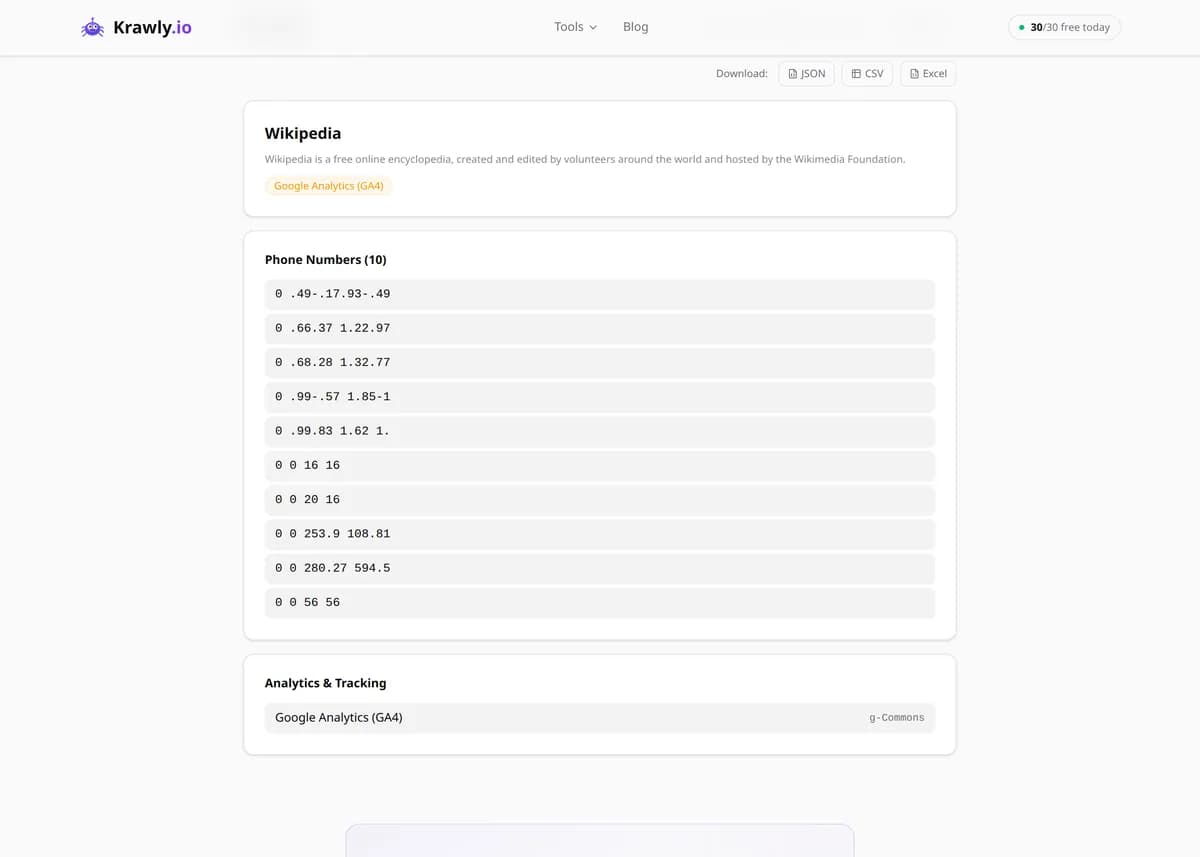
Enter a URL and Website Owner Finder compiles a public-source profile of the site: WHOIS registration details, any contact emails and phone numbers the page publishes, the analytics and tracking pixels it runs, the CMS it's built on, and its linked social accounts. It draws entirely on public WHOIS records and the site's own publicly served HTML — no private databases, no hacking. Use it for competitor research, partner due diligence, and lead generation, and keep in mind that registrant details are often masked by WHOIS privacy services, which is a legitimate and legal choice by the owner.
63 Free Tools No Signup Required JSON / CSV / Excel 30 Uses / Day
Quick answer
Enter a URL and Website Owner Finder compiles a public-source profile of the site: WHOIS registration details, any contact emails and phone numbers the page publishes, the analytics and tracking pixels it runs, the CMS it's built on, and its linked social accounts. It draws entirely on public WHOIS records and the site's own publicly served HTML — no private databases, no hacking. Use it for competitor research, partner due diligence, and lead generation, and keep in mind that registrant details are often masked by WHOIS privacy services, which is a legitimate and legal choice by the owner.
What is Website Owner Finder?
Website Owner Finder is an OSINT aggregator that answers 'who runs this site?' from a single URL. It pulls WHOIS registration data (registrant, registrar, creation and expiry dates, name servers), extracts contact emails and phone numbers published on the page, detects analytics and tracking codes (Google Analytics, GTM, Facebook Pixel, Hotjar, Clarity), identifies the CMS platform behind the site, and discovers linked social-media profiles. Every data point comes from public registries and the site's own public HTML — it consolidates open sources into one report rather than accessing anything private.
How to use Website Owner Finder
1
Enter the website URL
Paste the domain or page you want to research. Make sure your purpose is legitimate — competitor analysis, due diligence, or contacting a business through the details it publishes.
2
Run the ownership scan
The tool queries public WHOIS records for the domain and fetches the page HTML to extract contacts, tracking codes, CMS signatures, and social links in one pass.
3
Read WHOIS with privacy in mind
If the registrant fields show a privacy service, that's the owner deliberately masking their details — a legal choice. Use the registrar, dates, and name servers, which stay visible, for your analysis.
4
Cross-check the technical signals
Combine the detected CMS, analytics stack, and social links with the visible contact info to build a well-rounded, verifiable picture of who operates the site and how.
Try it when you need to…
Try it when you need a fast, single-report picture of who operates a website and what it's built on
Try it when you're vetting a potential partner or vendor and want to confirm ownership and technical setup
Try it when you want to know which analytics and tracking a site runs before trusting or comparing it
Use cases
Competitive intelligence — learn who operates a competitor's site and what stack it runs
Due diligence — verify ownership and technical setup before a partnership or acquisition
Lead generation — pull publicly listed contact details from a target company's site
Security and trust research — inspect the tracking and analytics on an unfamiliar site
SEO and tech analysis — identify the CMS and platform powering a domain
Key features
✓WHOIS lookup — registrant (where public), registrar, creation/expiry dates, and name servers
✓Contact extraction — emails and phone numbers pulled from the page content
✓Analytics detection — Google Analytics (UA/GA4), GTM, Facebook Pixel, Hotjar, Microsoft Clarity
✓CMS identification — WordPress, Shopify, Wix, Squarespace, and more from HTML signatures
✓Social profile discovery — linked accounts found in the page markup
✓Page metadata — title, description, and generator tag extraction
Tips & best practices
Empty registrant fields are normal, not a failure — since GDPR and the rise of WHOIS privacy services, most registrars redact personal details by default. Lean on the registrar name, creation/expiry dates, and name servers, which remain public.
Only use extracted contact details for legitimate business purposes, and remember that scraping and then messaging them is governed by anti-spam and privacy law (GDPR, CAN-SPAM, CASL) — publicly listed does not mean unrestricted.
CMS and analytics detection reads HTML signatures (wp-content, cdn.shopify.com, gtag.js), so heavily customised or proxied sites can hide or spoof these — treat detections as strong hints, not certainties.
Cross-reference WHOIS dates with the site's content: a very recent creation date on a site claiming a long history is a classic red flag for due-diligence and trust checks.
Frequently asked questions
Most registrars now apply WHOIS privacy protection by default, especially after GDPR, replacing the owner's name, email, and address with a privacy service or redacted fields. That's a lawful, deliberate choice by the registrant. The registrar, creation and expiry dates, and name servers usually stay public and are still useful for your research.
Yes — WHOIS records and a site's own published HTML are public information, and consulting them is legal and routine for competitor research, due diligence, and journalism. What's regulated is how you use any personal data you find: privacy and anti-spam laws (GDPR, CCPA, CAN-SPAM) still apply, so have a legitimate purpose and don't use contact details for harassment or unsolicited spam.
It matches known signatures in the page HTML — wp-content and wp-json for WordPress, cdn.shopify.com for Shopify, and similar markers for Wix, Squarespace, and others. This is highly reliable for standard installs but can miss heavily customised sites, reverse-proxied setups, or platforms that strip their default fingerprints, so treat it as a strong indicator rather than proof.
It looks for the embedded snippets of Google Analytics (both Universal Analytics and GA4), Google Tag Manager, the Meta/Facebook Pixel, Hotjar, and Microsoft Clarity. Detection depends on those scripts being present in the served HTML; tools loaded server-side or through certain consent gateways may not be visible.
No. It only reads public WHOIS registries and the publicly served page HTML. It doesn't touch server files, databases, admin areas, or anything behind a login, and it can't reveal ownership details the registrant has chosen to keep private through a WHOIS privacy service.
You can collect the contact details a business publishes, but contacting them is governed separately by anti-spam and privacy laws such as GDPR, CAN-SPAM, and CASL, which require a legitimate basis and an opt-out for marketing messages. Prefer the business/role contacts the company lists for that purpose, and don't repurpose personal details for bulk unsolicited email.