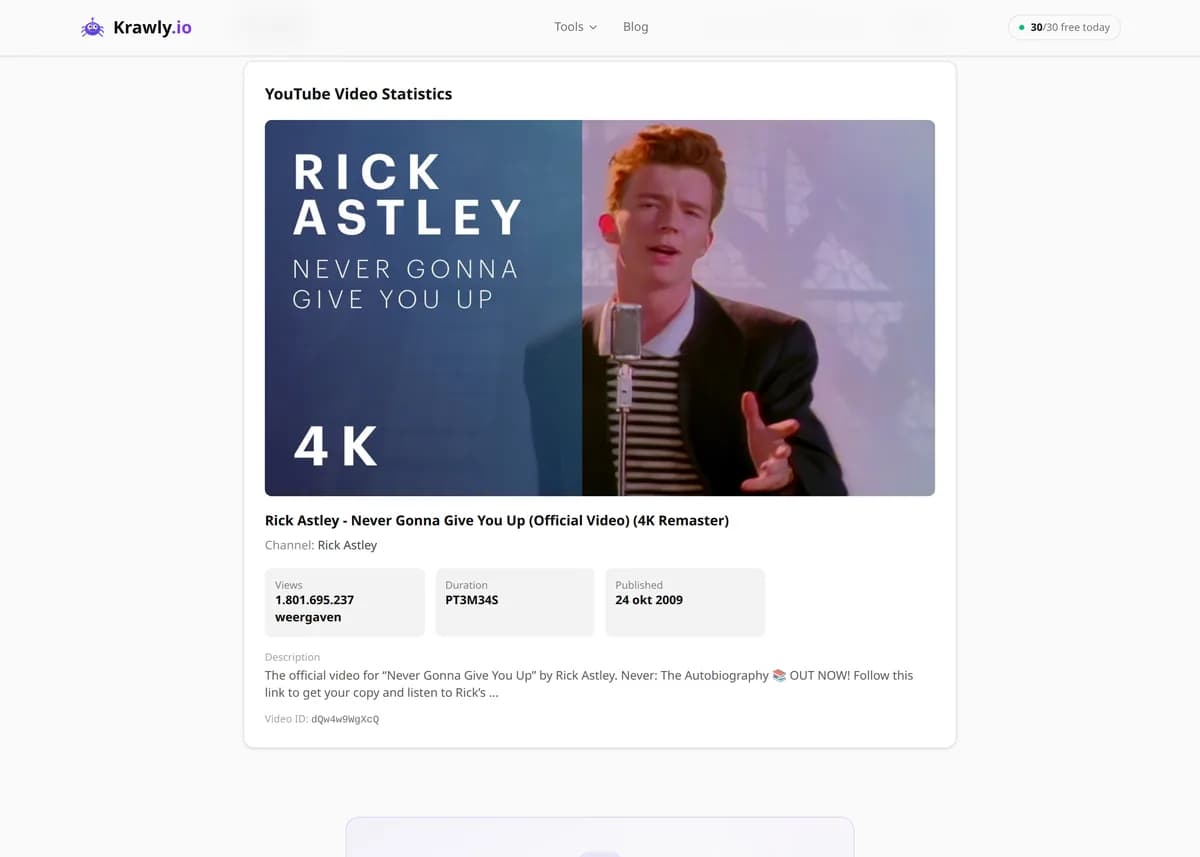
Get YouTube video stats: views, likes, channel, duration, and publish date from any video URL.
Paste a YouTube video URL and this tool returns the video's public statistics — views, likes, channel, duration, and publish date — in seconds. It scrapes the metadata YouTube embeds in the page rather than calling the Data API, so there's no key, no quota, and no sign-in. Use it to log a video's performance, compare competitors' numbers, or track how views and likes grow over time.
63 Free Tools No Signup Required JSON / CSV / Excel 30 Uses / Day
Quick answer
Paste a YouTube video URL and this tool returns the video's public statistics — views, likes, channel, duration, and publish date — in seconds. It scrapes the metadata YouTube embeds in the page rather than calling the Data API, so there's no key, no quota, and no sign-in. Use it to log a video's performance, compare competitors' numbers, or track how views and likes grow over time.
What is YouTube Video Stats?
YouTube Video Statistics gives you YouTube video statistics by link: paste any video's URL and it extracts the key public metrics — view count, like count, channel name, video duration, and publish date. It reads the metadata YouTube embeds in the video page, so you get the numbers without opening the video or logging in. It's a fast way to check or record a video's performance snapshot for analytics, research, and reporting.
How to use YouTube Video Stats
1
Copy the video link
Take the URL of any public YouTube video — a standard watch link, a youtu.be short link, or a Shorts URL.
2
Paste it into the tool
Drop the link in and run it. The tool resolves the video ID and reads the metadata embedded in the video page.
3
Read the stats
You get the view count, like count, channel, duration, and publish date in a compact snapshot.
4
Record or repeat
Save the numbers for your report, or re-run the same video later to track how its views and likes change over time.
Try it when you need to…
Try it when you need to log a video's current views and likes for a performance report
Try it when you want a competitor's public video numbers without any access to their channel
Try it when you're tracking how a video's views grow day over day
Use cases
Video analytics — capture a video's view, like, and duration snapshot for a report
Content research — check how a topic or format performs before you cover it yourself
Competitor analysis — pull public stats on rival channels' videos without their access
Engagement tracking — record view and like counts over time to watch a video's trajectory
Data collection — gather stats across a list of videos for a spreadsheet or study
Key features
✓View count and like count
✓Channel name and video title
✓Video duration
✓Publish date
✓No YouTube API key required — reads public page metadata
Tips & best practices
View counts update on a delay and are periodically audited by YouTube to strip out spam and non-genuine plays — that's why a fast-rising video's counter can briefly freeze around 300 views or jump in steps. Treat a single reading as a snapshot, not a live meter.
Like counts are public but dislike counts are not — YouTube removed the public dislike number in late 2021. Any tool claiming to show real dislikes is estimating from third-party data, not reading it from YouTube.
To track a video over time, record the same stat at consistent intervals (for example, once a day). The delta between readings is far more meaningful than any single absolute number.
Some creators hide their like count in Studio; when that's the case the number simply isn't in the page metadata and can't be extracted.
Frequently asked questions
No. It reads the publicly available metadata embedded in the video's page, so there's no API key, no OAuth, and no daily quota to hit.
YouTube updates view counts on a delay and periodically audits them to remove spam or invalid plays. Small discrepancies and brief freezes are normal — the counter is an audited, slightly-lagged number, not a real-time tally.
No. YouTube removed the public dislike count in November 2021, so it isn't available in the page data. Any dislike figure elsewhere is a third-party estimate, not an official number.
Yes for Shorts and for finished live streams, which expose the same public metadata as regular videos. Currently-live streams show concurrent-viewer figures that fluctuate second to second, so a reading is only a moment-in-time snapshot.
Creators can hide the like count on their videos. When it's hidden, the number isn't present in the page metadata and therefore can't be extracted — the other stats still return normally.
The tool reads one video's stats per URL. For a batch, run each video and collect the results into a spreadsheet — since there's no API quota, you're not limited by request caps.
No — it isn't a background YouTube tracker. Each run reads the current view count, like count, and other public stats for one video at that moment; nothing is scheduled or stored for you. To use it as a YouTube video view tracker, re-run the same link at regular intervals and log each reading. It also doesn't track where videos rank in YouTube search.
Not from the tool alone: the public video page only exposes the current total, so there is no YouTube video view count history for it to read. Tracking YouTube video views means taking your own snapshots — run the video once a day, record the number, and chart the differences. That turns this into a simple YouTube view tracker you control.
No. Impressions, click-through rate, traffic sources, and watch time are private analytics that only the channel owner sees in YouTube Studio, so no public tool can read them for someone else's video. This tool reports what's public — views, likes, channel, duration, and publish date. For click data on your own videos, use Studio's per-video analytics.